
External libraries and preview diagnostics
Use public CDN resources and understand preview errors and fallback.
How acceleration works
DeployHTML routes supported public library and font resources through its bounded caching gateway. It uses the same URL mapping for isolated previews and published HTML. Stored source files remain unchanged. Unsupported resources continue using their original addresses; an unavailable upstream can fall back to its original URL.
This is a compatibility and caching feature, not a guarantee that every resource is available or faster from every region. It does not turn private package registries or authenticated endpoints into public resources.
Compare original resources
In preview, turn off Accelerate libraries and choose Reload preview when you need to compare behavior without acceleration. Integrity-protected references are preserved. A script's type, defer or async behavior still matters.
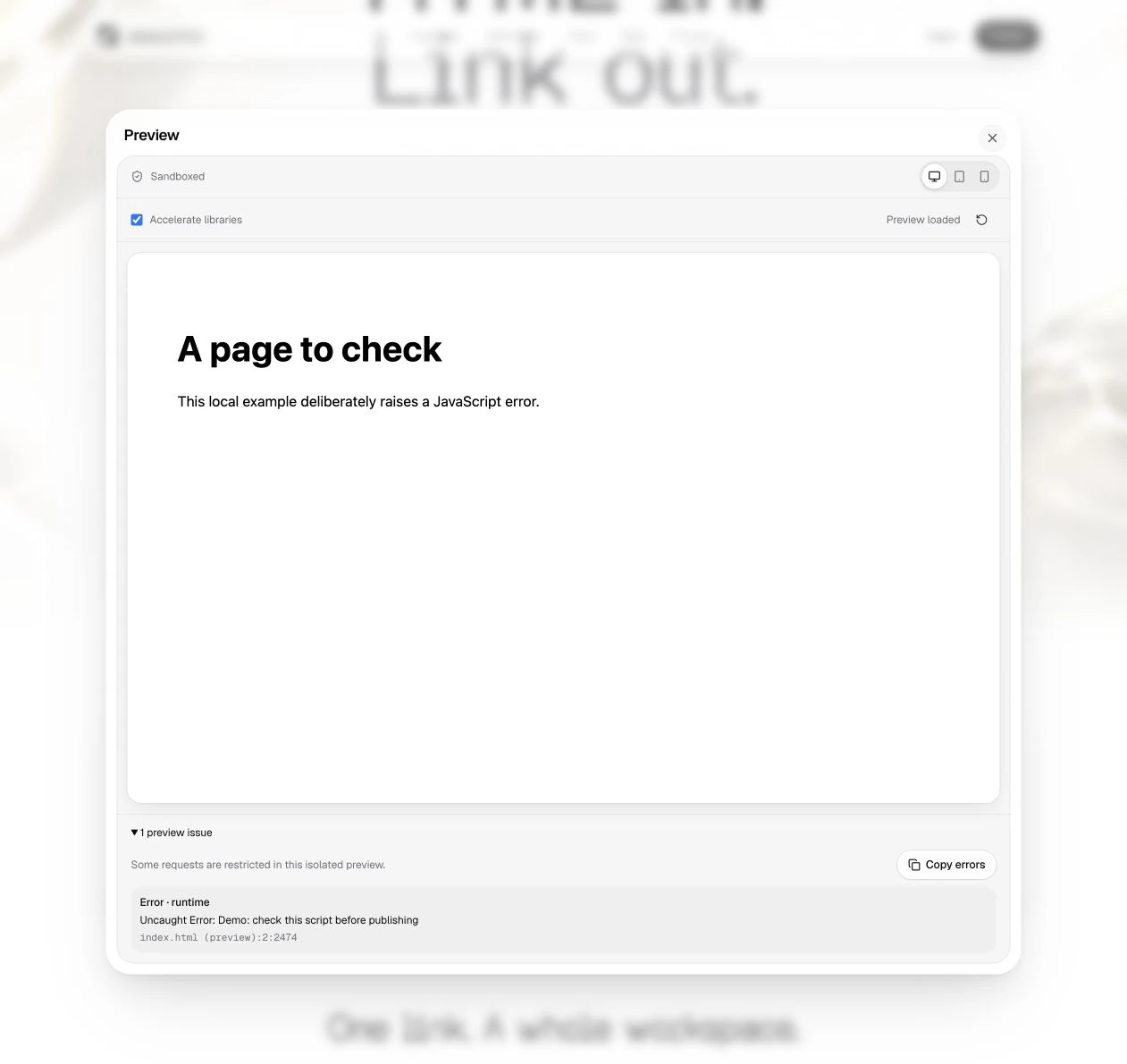
Read the issues
The preview can report runtime exceptions, unhandled promise rejections, console errors/warnings, resource failures and sandbox policy blocks. Expand the issue list and use Copy errors when investigating your own page.
Cross-origin browser restrictions can hide the exact exception. Some CSS/layout problems do not raise an error at all. A clear diagnostic panel does not replace a visual check of the page.
What still needs preparation
Complete HTML, CSS, browser JavaScript and browser-ready ES modules are suitable inputs. Framework source and arbitrary npm imports may need a build. Some existing browser Babel/JSX setups can run in the browser, but direct TypeScript/TSX uploads are not an automatic compilation workflow.
Check build output, missing assets and the AI HTML guide. Test external services separately after publishing.
Last updated on