
One-Page Portfolio Website: 3 HTML Layout Ideas
Choose a one-page portfolio layout for case studies, visual work, or a working demo. Plan the evidence, contact route, and checks before sharing.
DeployHTML team · 8 min ·
Start with the decision your visitor needs to make
A useful portfolio helps a visitor understand three things: what you do, what you have made, and how to contact you. A single page can answer those questions when the projects are selected carefully and their purpose is clear.
Before collecting portfolio website examples, decide what someone needs to inspect. A designer may need to explain a decision. An illustrator may need to show a collection. A developer may have something a visitor can try.
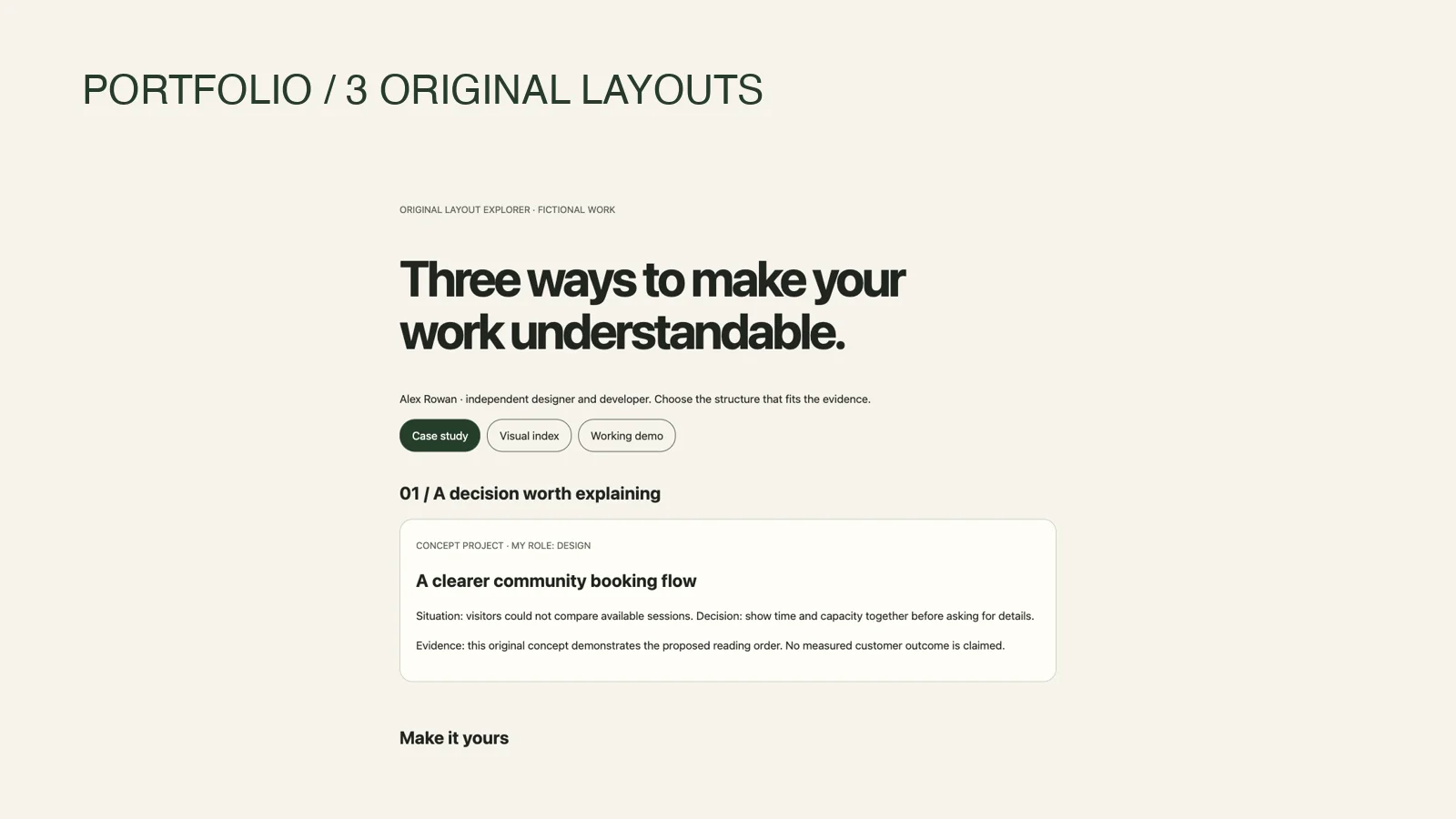
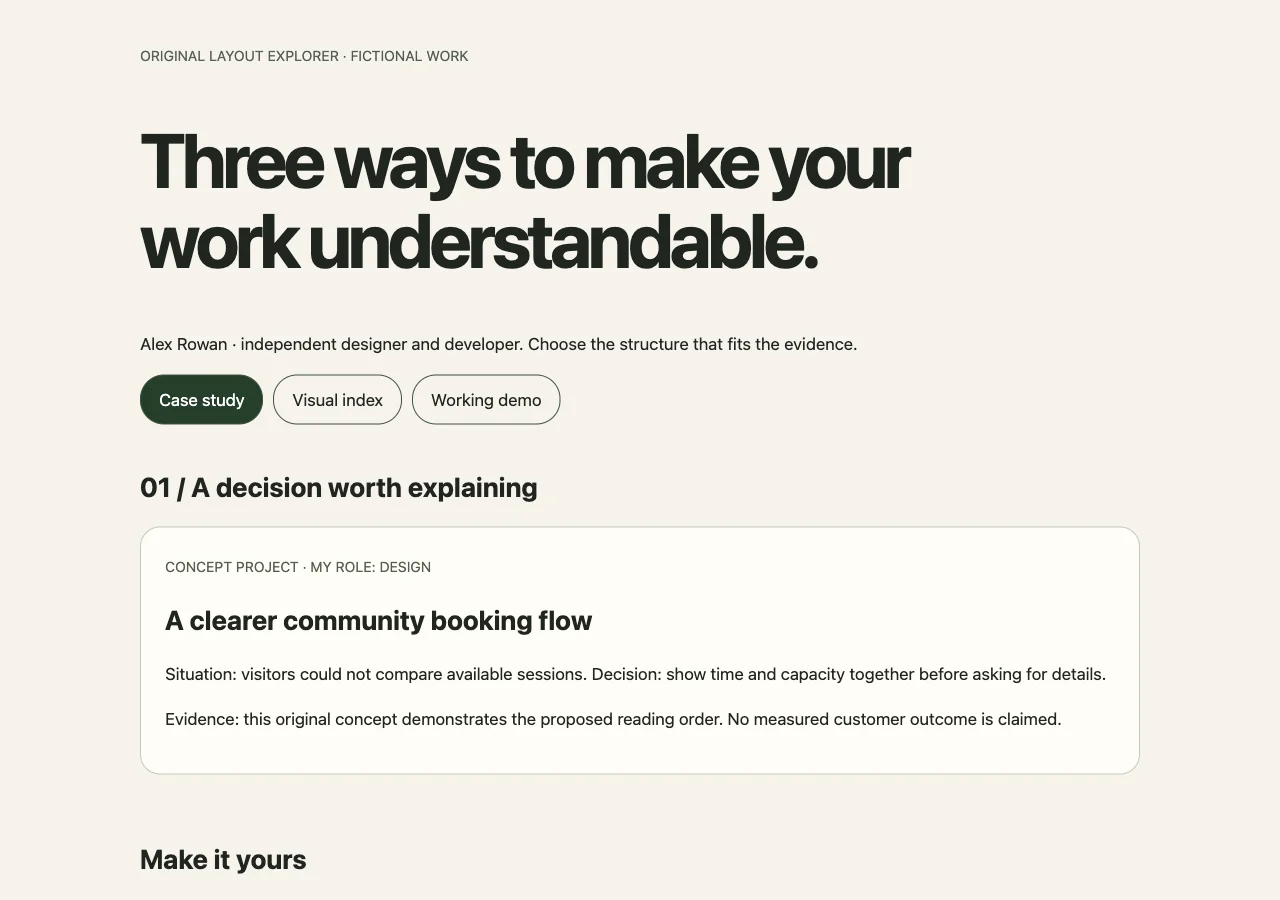
The three layouts below are original blueprints. Try the downloadable layout explorer linked below; its person, projects and results are fictional. Choose the structure that makes your strongest evidence easy to understand.
Choose the layout by the work you can show
You can combine these structures. A visual index can lead to one case study, and a case study can contain a small demo. Give the page one main reading path so visitors do not have to choose among several competing introductions.
| Your strongest evidence | Start with | Give the most space to |
|---|---|---|
| A project whose value needs context | The case-study page | Your role, an important decision, and an inspectable result |
| A coherent collection of visual work | The visual index | Selected pieces, useful labels, and one project in context |
| Something a visitor can operate | The working-demo page | A clear task, sample inputs, and an explanation of what you built |
1. The case-study page: explain the decisions behind the work
Choose this structure when a screenshot alone cannot show your contribution. It suits a designer explaining a redesign, a developer describing a tool, or a freelancer presenting work completed with a team.
Page order: Introduction → featured project → supporting work → short background → contact.
For a hypothetical interface designer, the introduction might say:
I design clear interfaces for small business tools. Here is how I turn a complicated task into a usable flow.
Follow that with one project that represents the work you want to do next. Keep the explanation specific:
If the work is a concept, label it as a concept. When you have no measured outcome, explain the change you made rather than inventing an improvement percentage. An annotated before-and-after flow can still make your reasoning visible.
Keep supporting projects shorter. A title, image, role, and link to more detail can be enough. Expanding every project to the same length can hide the example that best represents your current skills.
For the HTML structure, give each section a meaningful heading and a stable ID. A compact navigation row can link to #featured-work, #about, and #contact. The project should remain understandable without a carousel or animation.
- Situation: What was difficult for the intended user?
- Your role: What did you personally design, build, research, or write?
- Decision: Which choice mattered, and why did you make it?
- Evidence: What can the visitor inspect: a screen, prototype, code sample, or documented result?
2. The visual index: make a collection easy to browse
Choose this layout when the work itself carries much of the explanation: illustration, photography, graphic design, or visual experiments.
Page order: Short introduction → selected-work grid → one project in context → availability → contact.
Open with a specific description of your work. “Editorial illustration and brand graphics” tells a visitor more than “Creative person making things.”
For this hypothetical page, select six pieces that represent the work you want to do next. Give each a visible title and a short label describing its type or purpose. A caption such as “Personal editorial illustration concept” also makes the project's status clear.
A grid gives an overview. One expanded project can then show a brief, an early direction, and a final piece, where you have permission to share them. This adds context without turning the whole page into a long case study.
Use meaningful alternative text when an image communicates project information. If you add a lightbox, keep an ordinary way to open the image and test whether the enlarged view can be opened, used, and closed with a keyboard.
Avoid adding filters simply because another portfolio uses them. For a small collection, clear labels and a deliberate order may be enough. Add filtering when it solves a real browsing problem.
3. The working-demo page: let visitors try a small task
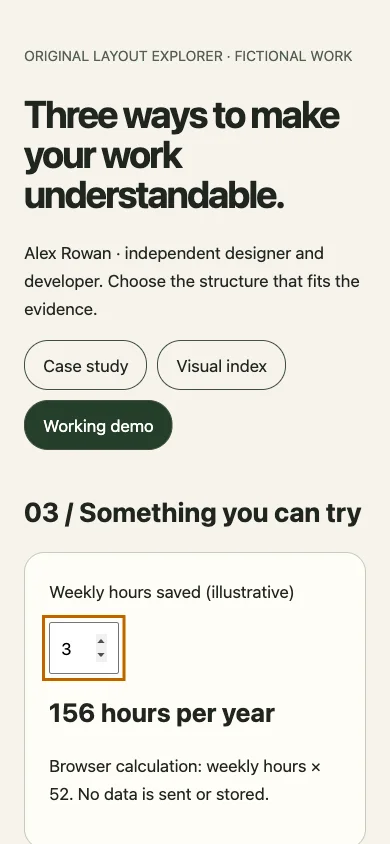
Choose this structure when an interactive example can demonstrate your skills: a front-end component, a calculator, a data visualization, or a browser-based experiment.
Page order: What the demo does → working example → implementation notes → other projects → contact.
A hypothetical developer portfolio could open with a small expense-splitting calculator. Explain what it does and supply example inputs so a visitor can try it without entering personal information.
Below the demo, describe the parts you built and one constraint you handled. That could be rounding, an empty input, a narrow screen, or keyboard navigation. Link to source code if it is yours to share.
A self-contained example can run with HTML, CSS, and browser JavaScript. Keep secret API keys out of the page and scripts. When the demo depends on an external service, identify that dependency and provide a useful message when it is unavailable.
Uploading static files does not create a server or shared database. Browser storage also does not make a visitor's entries appear on their other devices. Choose a self-contained task when it meets the need, or arrange the required backend separately.
Fill in this content worksheet before styling
Write a short answer to each prompt. If an answer is missing, use it to decide what the page needs next.
This worksheet is also a useful editing test. If a large section supports none of these answers, shorten it or remove it. Personal websites can grow over time; the first version does not need to contain every piece of work you have ever made.
Check sharing permissions before uploading. Remove private client information, unpublished business details, and credentials. If a project is anonymized, explain that briefly. Use logos, testimonials, photographs, and code only when you have the right to publish them.
| Prompt | What to prepare |
|---|---|
| I want this visitor to understand… | One sentence describing the work you want to be known for |
| My strongest example is… | One project and a reason it belongs first |
| My contribution was… | A concrete account of your role, including collaborators where relevant |
| The visitor can inspect… | An image, explanation, link, or demo that supports the claim |
| This example does not demonstrate… | A limit you should state, such as concept status or sample data |
| The next useful action is… | A contact route or project destination that actually works |
Decide how you will maintain the page
Static HTML can fit a portfolio when you already have the files and can maintain them yourself. A visual builder may suit you better when you want to edit layouts without working with files. A CMS may help when you publish frequent articles or want several people to manage content.
Be equally deliberate about contact. An email link can be sufficient for an early portfolio, although it opens the visitor's email application. A form requires a configured submission destination. A “Message sent” screen does not establish that the message reached anyone.
Check the page and the link your visitor will receive
Use an HTML preview to review the layout, headings, and image paths. Then check the published result independently, especially if the page uses external requests or embedded services.
Before sharing:
If your portfolio is ready as HTML or a ZIP, DeployHTML can publish those static files after sign-in. Start from the HTML-to-link page. Free published sites expire after 24 hours, so check the current plan terms before putting the URL on a long-term profile or application.
Start with a layout that makes one strong project easy to understand. Add more work when it helps the visitor make a useful decision about your skills.
- Read the introduction and captions on a narrow screen without zooming.
- Reach navigation, demo controls, and contact links with a keyboard.
- Open each project destination and confirm the packaged images load.
- Try the demo's example input, then an empty or unexpected value.
- Open the published URL on another device or in a browser where you are not signed in.
- Confirm the contact destination and the intended hosting period.
Try the original sample, then publish your own
Download the complete self-contained HTML. Replace the fictional content, verify the contact destination, and open it on a phone before publishing. The sample interactions stay in the browser; they do not save feedback, accept a contract or take payment.
Use a collection to share supporting documents with one materials link. On Basic or Pro, enable page feedback for review notes. Keep agreement, approval and payment in an explicitly verified workflow.
Put it into practice
Give your work a useful home.
Replace the example content, preview your files and publish when ready.