
Does your AI-built app really save data? A practical test
Distinguish a screen update, browser storage and a real saved response. Try an original storage lab, then verify a configured form in the owner records and CSV.
DeployHTML team · 10 min ·
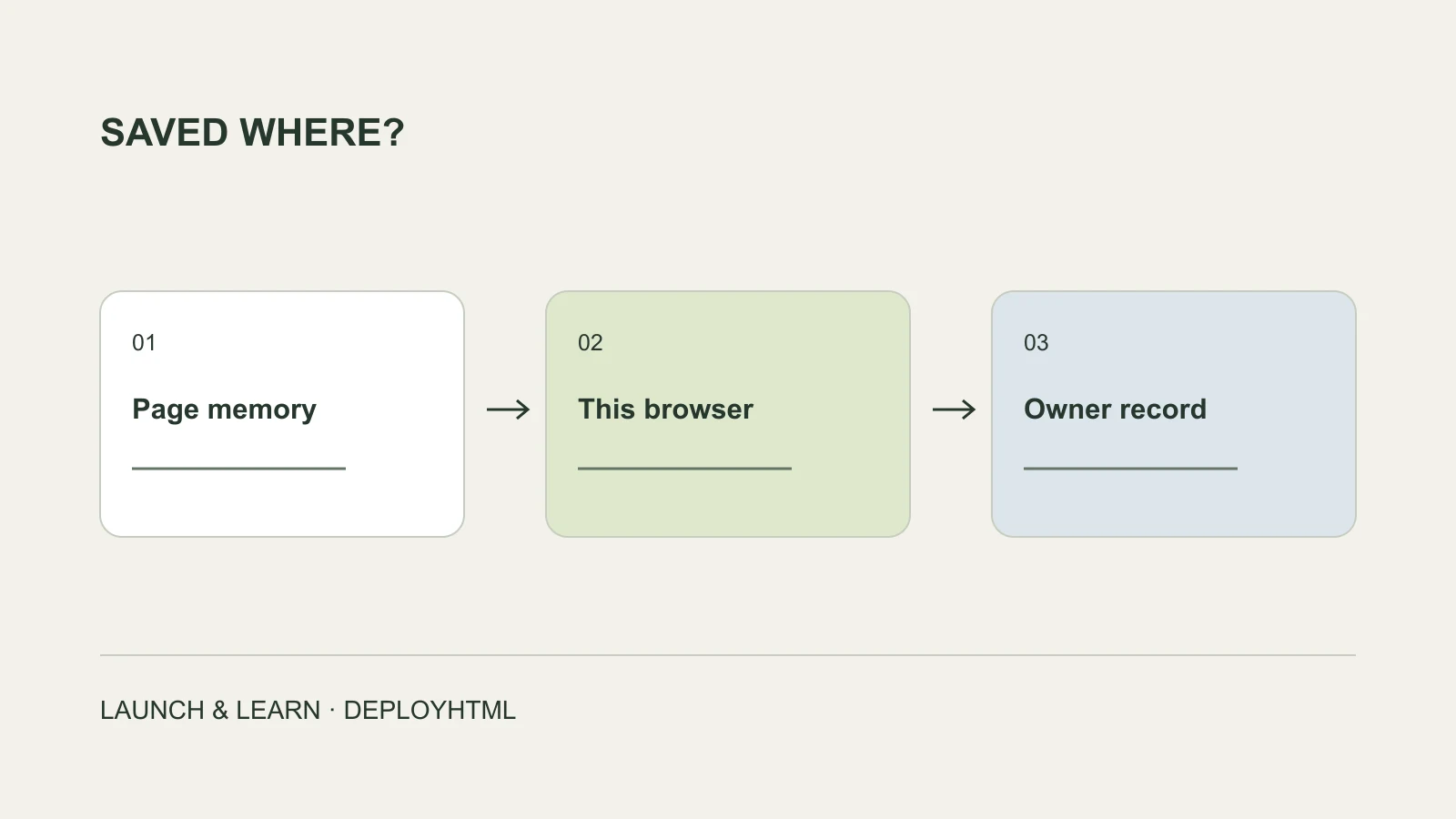
A success message is the start of the check
To check whether an AI-built app saves data, first identify where it claims to save. Then test a reload, a separate browser and the owner’s stored records. A message saying “saved” does not establish that a backend received anything.
A browser can update the screen, hold a value in memory, or store a value locally. These are useful behaviors, but they are different from a shared application database or a response the site owner can review.
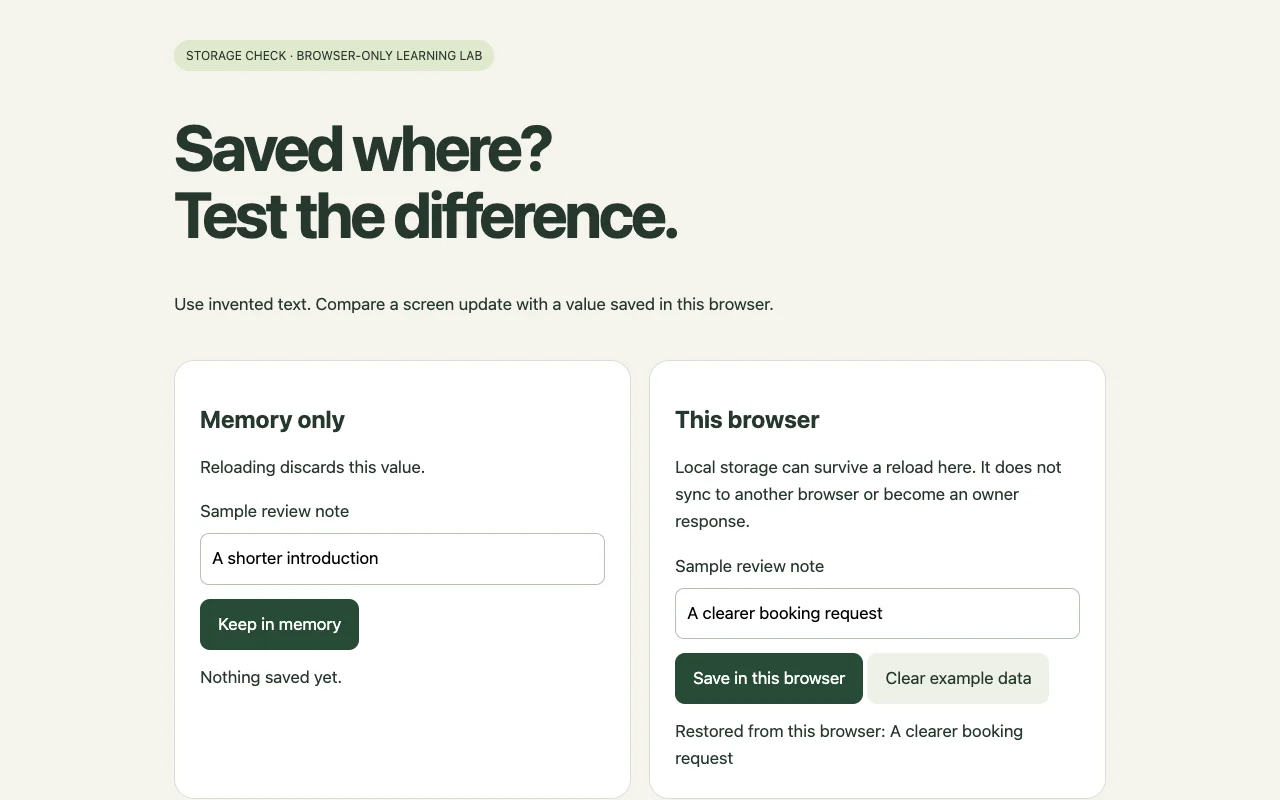
Use only invented data while learning the difference. Our downloadable storage lab has an in-memory note and a local-browser note. It deliberately has no server storage, accounts or background synchronization.
Run the reload test
In the memory card, enter an invented preference and choose Keep in memory. In the browser-storage card, enter a different invented preference and choose Save in this browser. Now reload.
The in-memory result clears. Where the browser permits local storage, the second value is restored in the same browser profile and origin. This is the actual behavior shown in the screenshot, not a server receipt.
Use Clear example data to remove the lab’s own value. It removes only the example key. Browser privacy settings can block storage, so the lab reports that failure instead of displaying a false success.
Do not assume the AI provider has no storage
Claude documents artifact storage features, and Gemini documents Canvas app storage with data-sharing considerations. Available capabilities and permissions depend on the product and account. A particular generated app can still behave incorrectly, but that is different from saying the platform never saves data.
When moving a page elsewhere, inventory the dependencies: browser files, model calls, identity, storage and external connectors. Exporting the visible page does not automatically migrate those services.
Verify one real form response end to end
For a structured response in DeployHTML, configure a form on an eligible Pro account. Define its field names, required values and notice. Put the returned form ID in the HTML and make each input name match the schema. The downloadable template contains a placeholder that you must replace with your own configured ID.
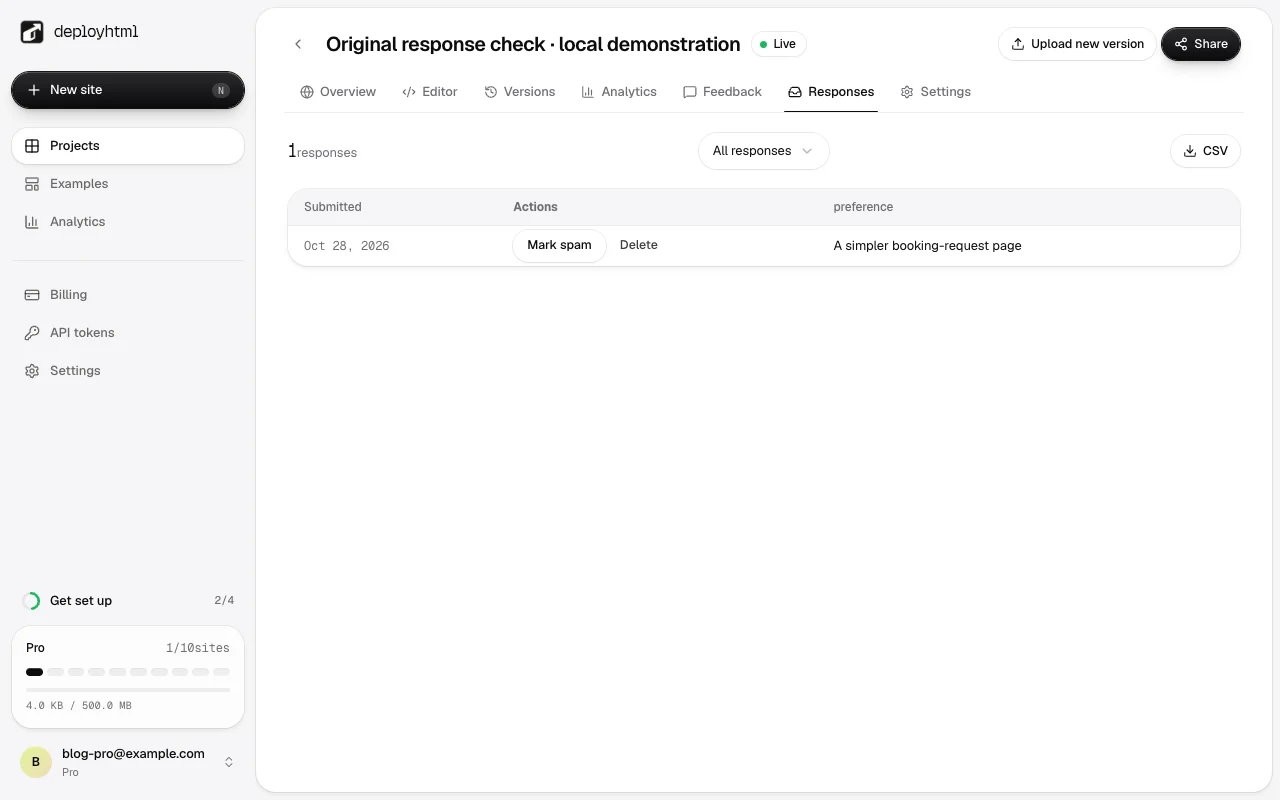
Publish the page, then submit an invented preference from a visitor session. Wait for the actual server response. Open the owner’s Responses tab and find the same preference, then export CSV and check it there too.
For this guide, the actual local form endpoint stored our synthetic answer and returned it to the owner. We also checked the exported CSV. The screenshot is from that isolated local Pro fixture, not a simulated database, production purchase or real customer submission.
Check errors, permissions and the business outcome
Try an empty required field and confirm the failure is visible. Reopen the owner records after a reload. Check that an unauthenticated visitor cannot read the private response list. For a real release, also verify its production security checks and limits.
A saved appointment request is not a confirmed time slot. A product inquiry is not a paid order. A button click is not a saved form response. Use a separate verified record for each outcome you intend to report.
Feedback mode is useful for an unstructured reaction; configured forms are useful for declared answers. Neither turns a static host into a general database, identity provider or complete booking system. Choose and test the service that matches the task.
Record the environment before changing the app
Back up important input and the current source before clearing browser storage or regenerating the page. Record the exact visitor URL, browser, time, visible version and the action that produced the message. Use invented values while diagnosing.
Compare protocol, hostname and port. Browser-local storage belongs to an origin: a different subdomain or HTTP-to-HTTPS move can expose a different storage area. A changed application key can also make an existing value appear missing. Changing only the path normally keeps the same localStorage area unless the application implements its own grouping.
The hosting owner account manages the published project; logging into it on another phone does not automatically synchronize a visitor app’s browser data. Return to the original environment and back up important values before planning a migration.
| Record | Why it helps |
|---|---|
| URL and visible version | Distinguishes local preview, production and an older deployment. |
| Action and role | Separates publisher edits, visitor submissions and personal drafts. |
| Receiving service and result | Identifies where the app claims to send data. |
| Owner account and filter | Helps find an existing record in the right environment. |
Separate a page update from a visitor submission
Changing the public course description is a publisher update: save the intended source and publish a new version. A visitor filling in an inquiry creates a new response that must reach its configured receiver. Re-uploading HTML cannot collect answers left in another person’s browser.
A personal preference can reasonably remain local if the page says so. A private cross-device archive needs a service with identity and authorization. An inquiry needs a receiving workflow whose fields, notice and owner access are configured.
Do not put private visitor records in a public JSON file to make synchronization look complete. Likewise, hiding a response list in the frontend is not an access rule enforced by the receiving service.
Check the request, its business result and the stored record
Inspect whether the action sent a request to the expected receiver, then read the response according to that service’s contract. A 200 response can carry an error or a login page; the number alone does not establish that a response was stored.
Match the returned record identifier, time and environment with the owner’s authorized records. If the answer is missing, check the account and filters before submitting again. A timeout can leave the result unknown even if the server completed the operation.
Keep input available when a submission fails. For an uncertain result, use the receiver’s supported result lookup or safe retry mechanism. A disabled button alone does not prevent duplicates across refreshes or retries.
| Result | Useful behavior | Next check |
|---|---|---|
| No request or a blocked request | Keep input and show the incomplete state. | Event handler, receiver URL and browser error. |
| A validation failure | Explain which field needs correction. | Field names, allowed values and required fields. |
| Success with a record reference | Show the contracted completion state. | Find that record under the authorized owner. |
| A timeout or unknown result | Show a pending or uncertain state. | Look up the original result before a safe retry. |
Test another device according to its role
Two visitors should not necessarily see the same records. Submit an invented value as visitor A and confirm the owner can retrieve it. Visitor B should see public content while remaining unable to read A’s private response. Only expect personal cross-device retrieval if the product implements that identity and synchronization flow.
For publisher edits, reopen the public destination on both devices and compare the intended published version. For failures, preserve the input and test recovery under the service’s documented behavior. Clean up the test records through the authorized owner workflow.
A failed read is different from a successful empty result. Do not overwrite existing data with an empty list merely because a request failed. If migrating local values to a new service, plan the fields, target permissions and completion marker before importing them.
Put it into practice
Your next link starts here.
Try the original example, then publish your own static files.