
Publish a research survey people can actually use
Separate a useful survey demo from real response collection, and check consent, validation, and owner access before sharing.
DeployHTML team · 5 min ·

Start with one research decision
A useful short survey supports a decision: which workflow is confusing, which concept deserves more study, or which task users struggle to finish. Avoid collecting information simply because the form can ask for it.
Write a brief introduction that explains the purpose, the expected effort, and how answers will be used. Keep personal questions optional unless they are necessary.
Try the local demo first
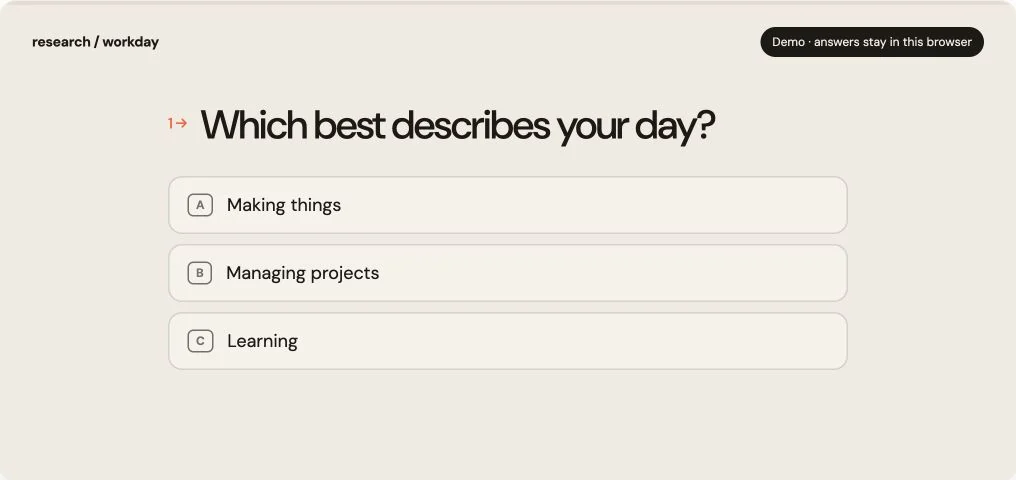
The DeployHTML survey example includes required questions, a progress indicator, and a thank-you state. In demonstration mode its answers stay in the browser and are not saved. You can explore the interaction without giving personal information.
Publishing a local demo does not turn it into a data collection service. A visible success message is not evidence that a response reached a database.
Connect real collection deliberately
The Pro form workflow requires a declared field schema, a visible privacy notice, required consent, an anti-spam check, and a receipt from the server. Named inputs in your HTML must match the configured schema. Unknown fields and invalid values are rejected.
Only the owner workspace can read or export responses. Owner notifications go to the verified owner email, never to respondents. Confirm Pro availability in the current plan limits. Until collection is enabled and verified for your project, use the example as a local demo or connect a separately tested collection service.
Run a complete rehearsal
Submit a test response from a separate session. Verify that it appears once in the owner response list and in a CSV export. Retry the same submission key to confirm it does not duplicate the record.
Check the mobile experience, keyboard navigation, error copy, and what happens when collection is disabled or the allowance is reached. Remove test submissions before inviting real participants.
Put it into practice
Your next link starts here.
Try the original example, then publish your own static files.