
Getting started with DeployHTML
Take a finished HTML page from your computer to a website link.
DeployHTML publishes static websites: HTML, CSS, images and browser JavaScript. Start with one complete page, or a ZIP of files that already run in a browser.
Choose a starting point
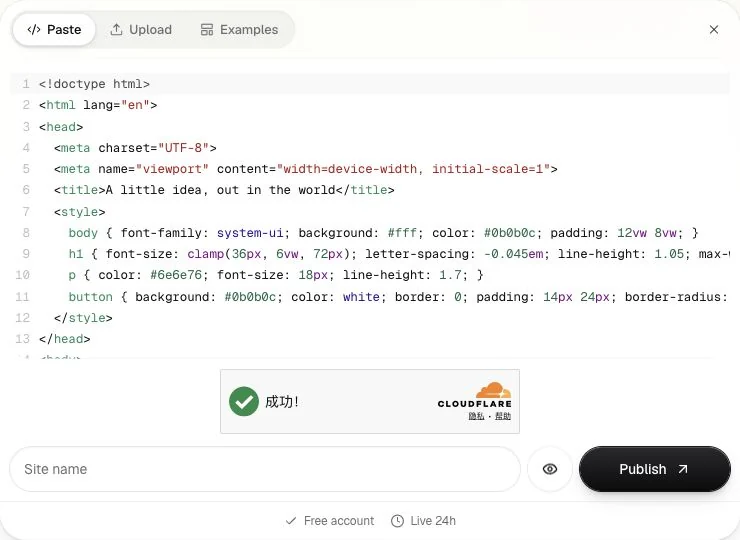
- One HTML document: paste it into HTML to link, or upload the file.
- Several files: keep the finished site together and upload a ZIP.
- An AI-generated page: identify whether you have finished HTML or source that needs a build.
You can prepare and preview your page before signing in. Publishing requires a Google or email-code account. After signing in, review your restored input and choose Publish.
Publish and check the link
Give the site a name, preview desktop and mobile layouts, then publish. Open the returned URL in another browser session. Check the main action, images and any nested page links before sharing.
Free provides one active site for 24 hours from activation, with a DeployHTML badge. Re-uploading does not restart that clock. See plans and limits before using a link for a long-running resource.
Understand the boundary
A static page can run calculations, interactions and browser-side charts. It does not automatically have a database, a Node/PHP server, private AI credentials or saved form responses. A convincing success screen is not proof that data was saved.
For a working starting point, try an original example. For a problem with an upload, use troubleshooting. Account or billing questions can go to workspace support.
Last updated on