
Can you deploy an HTML project with a backend?
Identify which parts of an HTML app run in the browser, which need a server, and how to verify a form or API without exposing private credentials.
DeployHTML team · 6 min ·
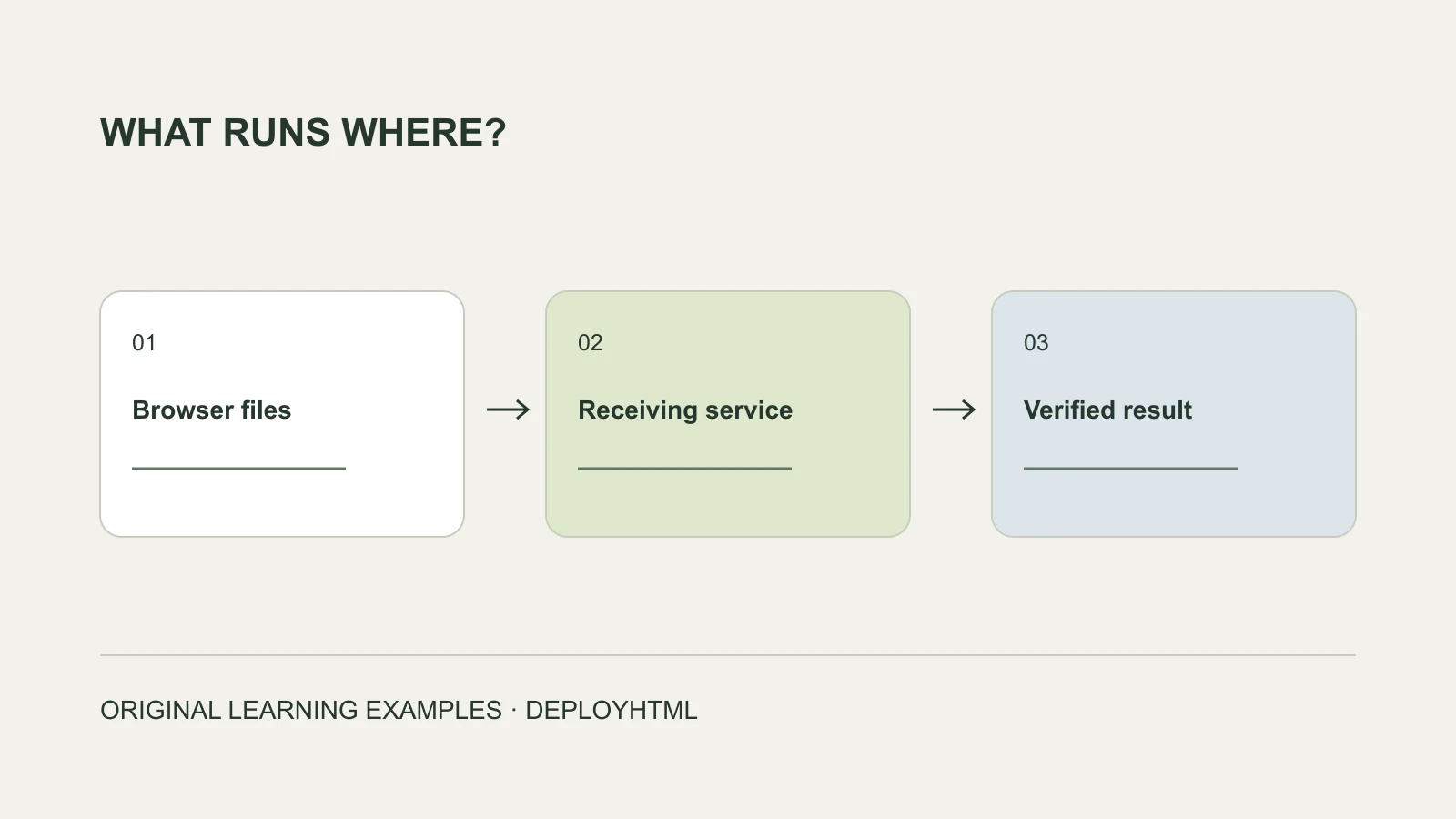
Deploy the frontend and account for the server separately
You can publish the browser-ready frontend of an HTML project on a static host. Its backend must run in a suitable service and be reachable under the access rules your application needs. Uploading HTML does not start a Node, Python or PHP server.
Begin with the behavior rather than the folder name. A calculator or local quiz may work entirely in the browser. Shared records, private accounts, authoritative scores and payments usually require separately implemented receiving or application services.
Inventory the dependencies before uploading
Read the generated files and ask your AI assistant which operations call an external service. Look for fetch calls, form actions, environment variables, server entry files and build instructions. A folder named public or dist can be a frontend output; the source repository is not necessarily that output.
For a framework project, run the documented build in an appropriate development environment and inspect the static result. If server rendering or server routes are required, choose infrastructure that actually runs them. Do not disguise a source archive as a finished website.
| Behavior | Can static browser files do it alone? | What to verify |
|---|---|---|
| Reveal text or compute a local score | Often yes. | Reload behavior and honest local-only copy. |
| Keep a preference on one device | Browser storage can. | Origin/profile scope and failure handling. |
| Receive declared form answers | Needs a configured receiver. | Server receipt and authorized owner record. |
| Run private accounts or a shared database | Needs suitable services. | Identity, permissions and cross-device behavior. |
| Confirm payment or a booking | Needs verified business services. | Provider/booking record, not only a click. |
Do not mistake local browser storage for a backend
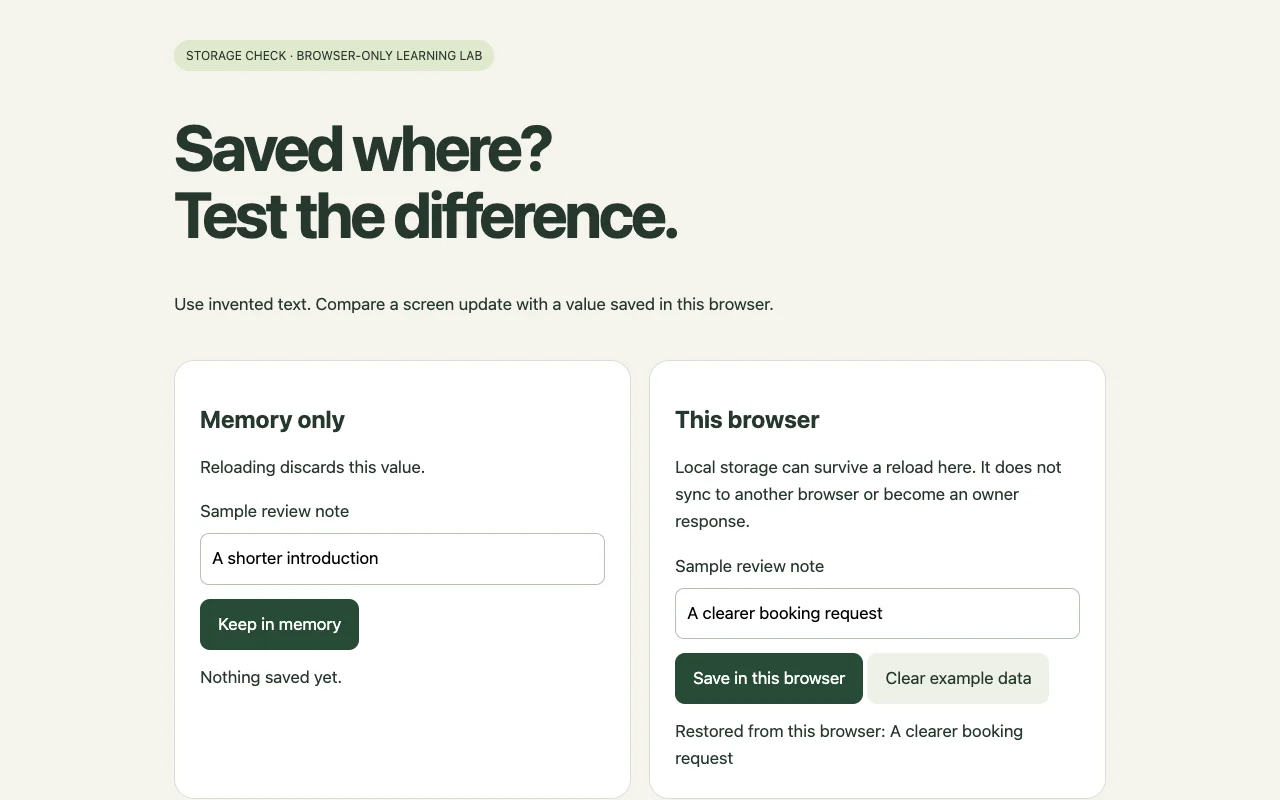
Try the supplied storage lab: keep one value in memory and another in localStorage, reload, then open it in a separate browser profile. The memory value clears; permitted local storage can restore in the same origin and profile. Neither demonstrates a shared server record.
If the app should synchronize, identify the service and authorized identity responsible for reading the data. A different hostname or protocol is also a different storage origin. Back up important local values before changing origins or planning a migration.
Connect the receiver without publishing a secret
Use the service’s browser-safe public configuration and intended authentication flow. Keep private model keys, database passwords and payment secrets on a trusted server. Anything delivered in public HTML or JavaScript can be inspected by the visitor.
Check HTTPS, the intended API address, authentication, allowed browser origins and error handling according to the receiver’s documentation. CORS controls browser interactions; it does not replace authorization. Show failure or uncertainty honestly and preserve input when a submission fails.
For a simple declared answer, a scoped form receiver may be sufficient. DeployHTML Pro forms require configuration and matching field names; they are not a general database or a server process uploaded with your files.
Verify the actual receiving result
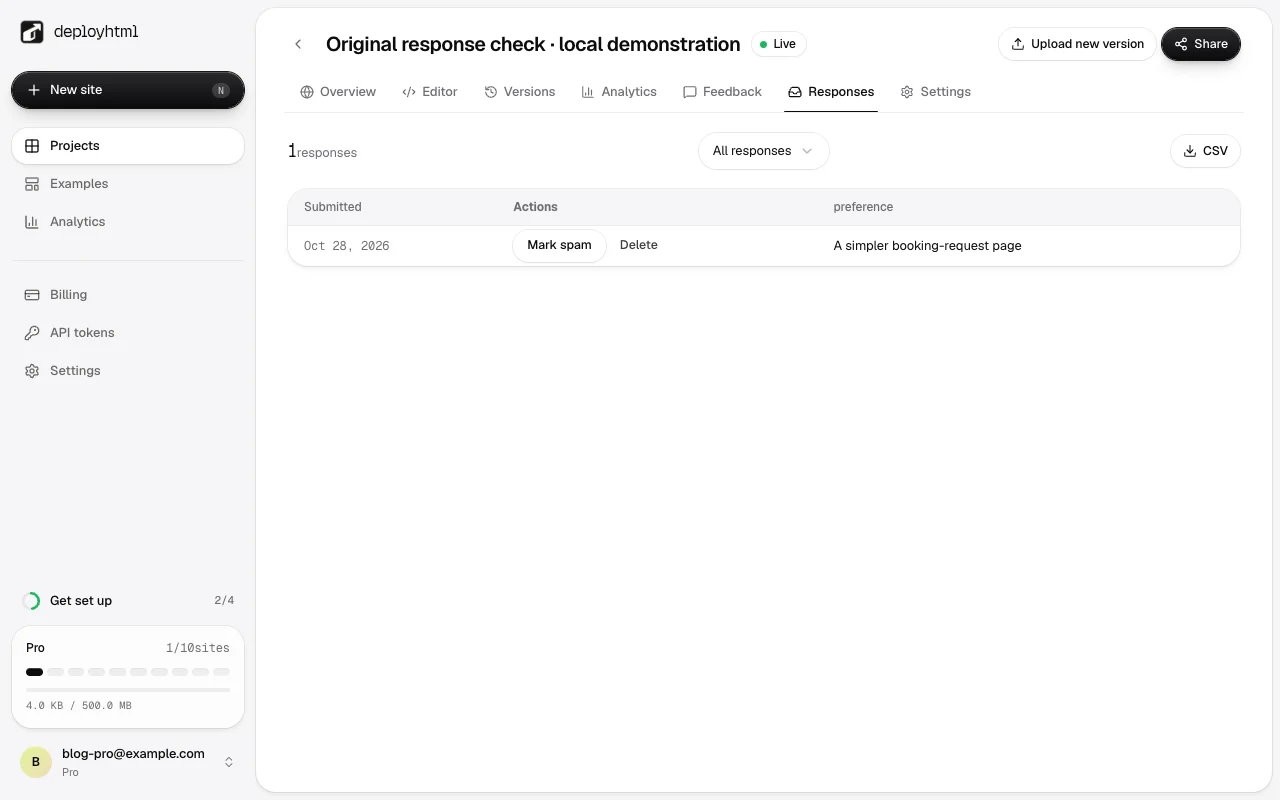
Submit an invented value from a separate visitor session. Inspect the receiving result under the service’s contract, then find the record in the authorized owner workspace. Check the environment and record identifier rather than trusting a generic 200 or a success message.
Our local configured Pro-form check stored an invented answer and returned it to the owner; its CSV was also checked. This proves that specific collection path. It does not certify private user accounts, a booking workflow, a payment, or arbitrary backend code.
Choose a deployment around the whole task
For a portable static page, publish its finished files and test the visitor URL. For an app that needs a running server, use a backend platform or managed service that supports its real requirements, then verify the frontend connection there. MDN’s publishing guide likewise distinguishes site publishing from backend-dependent hosting choices.
Before sharing, test a direct page reload, required resources, the key action, appropriate access and the intended lifetime. DeployHTML Free lasts 24 hours; a working external backend does not keep an expired frontend link alive. A useful launch proves the visitor can complete the task the interface promises.
Put it into practice
Your next link starts here.
Try the original example, then publish your own static files.