
Collect structured form responses
Configure a Pro form schema, consent notice and owner response workflow.
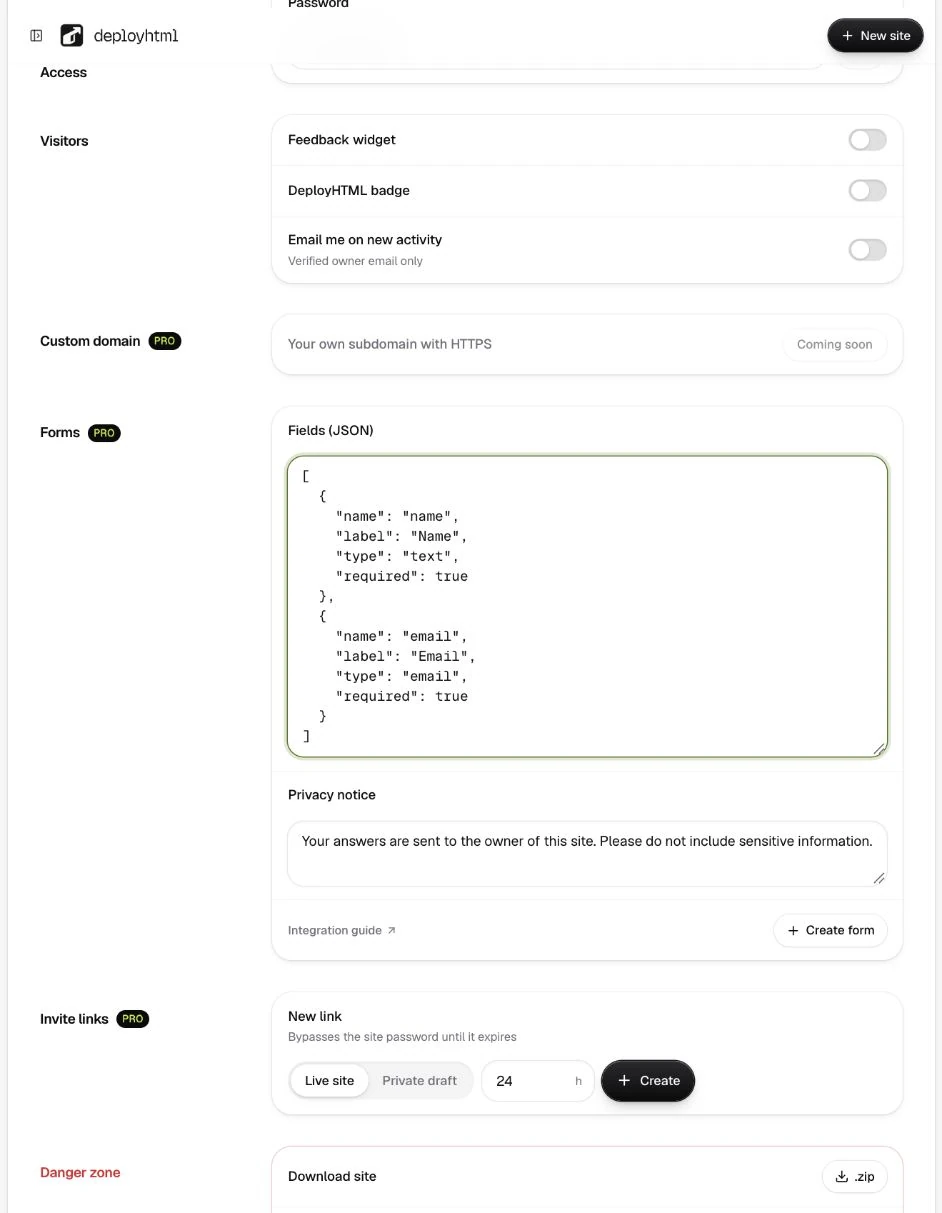
Configure a form on Pro
Open the project's Settings and create a form with named fields, supported types, required flags and a visible privacy notice. Supported field types include text, email, number, choice and checkbox. Real response collection requires the Pro entitlement and a configured form; uploading an HTML form alone does not save answers.
Connect the HTML fields
Use the form ID returned by the settings flow in data-deployhtml-form. Each input needs a name that matches the configured field schema. This example uses a placeholder form ID.
<form data-deployhtml-form="YOUR_FORM_ID">
  <label>Name <input name="name" required></label>
  <label>Email <input name="email" type="email" required></label>
  <button>Send my response</button>
  <output aria-live="polite"></output>
</form>
The hosted helper supplies the configured notice, required consent and security check. Unknown fields and invalid values are rejected. A successful submission should show a receipt only after storage succeeds.
Verify the owner result
Submit one deliberate test from a separate visitor session. Open the project's private Responses tab and confirm the expected fields, then check a CSV export. A thank-you message in a local survey demo does not prove that this workflow is configured.
Owner notification is optional and goes to the verified owner email. The feature does not send emails to respondents or operate a bulk mailing list.
Respect collection limits
Pro includes 10,000 responses per month and 50 MB response storage per account. Collection can be rejected when a limit is reached; there are no automatic overage charges. Disabled collection and failures need to be visible to the participant.
The original survey example explicitly keeps demo answers in the browser. For general unstructured comments, use feedback. See plan limits before collecting real data.
Last updated on