
Update and restore website versions
Keep one share URL while publishing deliberate revisions.
Keep the same project
A project's URL identifies the website; a deployment identifies one set of files. Update the existing project when the content changes. Creating a new project deliberately creates another website and another link.
Free can be re-uploaded during its original 24-hour lifetime. Basic and Pro add the online editor, private drafts and retained version history. Re-uploading a Free site does not restart its expiration clock.
Review retained versions
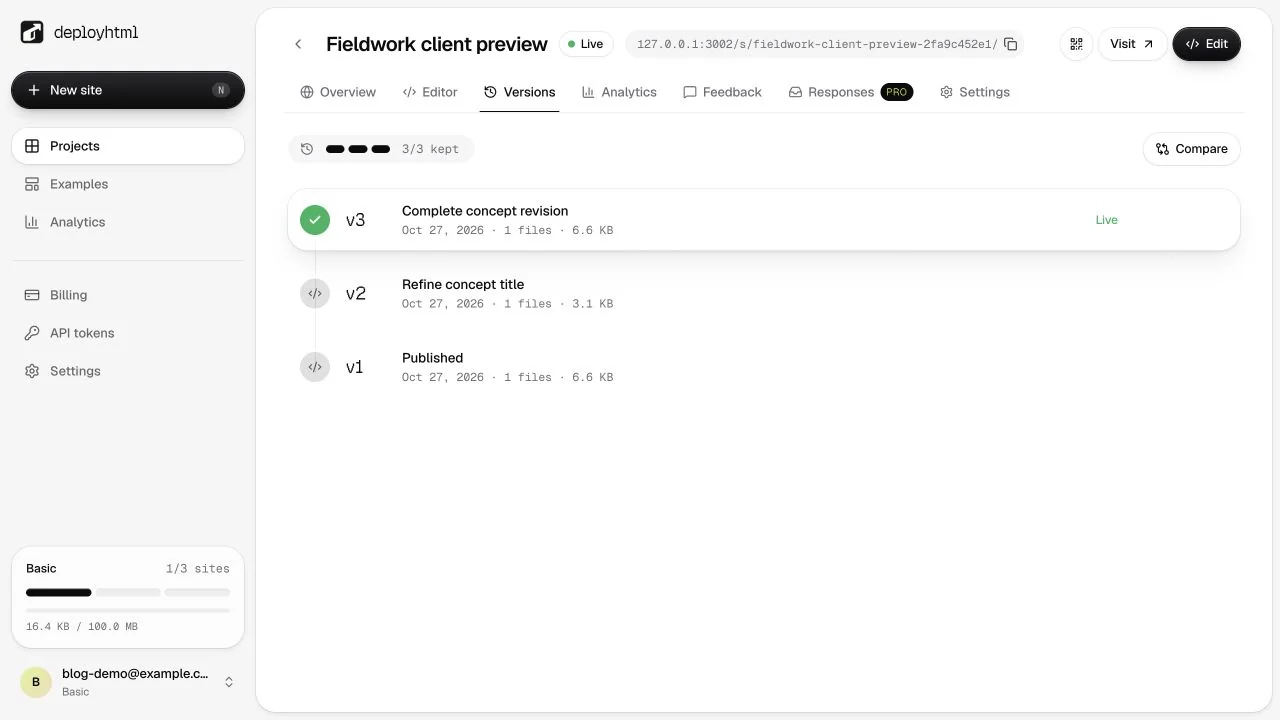
Open the project's Versions tab. Basic retains the latest 3 versions per site; Pro retains the latest 10. Retained files count toward account storage after content-hash deduplication. A list entry being retained does not mean it is currently live.
Publish or restore
Preview the intended version before changing the live website. Restoring an older version creates a new deployment rather than rewriting the historical one. Reopen the shared URL afterward to confirm the intended result.
Keep a local copy of a version you need to retain beyond the account's history limit. Do not assume that an old version will remain available after it is pruned or deleted.
Handle a rejected update
An invalid or oversized upload must be corrected before it can replace the active files. For a conflict from another session, inspect the latest deployment and preserve your intended changes before trying again.
See editing drafts, package limits and expiry/recovery.
Last updated on