
How to turn ChatGPT HTML into a website you can share
Check the files ChatGPT produced, prepare a static page or build, and publish a working link with screenshots of the actual workflow.
DeployHTML team · 6 min ·

Ask for an HTML deliverable you can carry
To turn ChatGPT HTML into a website, save the generated document, include its assets, and publish the static files. Begin by identifying what the answer contains. A complete HTML document can be pasted into a host; a React component or a repository with dependencies generally needs a build.
For a small concept, ask for one self-contained index.html with CSS and browser JavaScript included. Request clearly labeled sample data and an explanation of any external service. This keeps the next step concrete without assuming that every generated application can run as static files.
Use the actual code or exported files your current tool provides. Interface and download options can change; the essential requirement is a complete, inspectable static deliverable.
Return a complete index.html for this concept.
Include CSS and browser JavaScript in the file.
Use labeled sample data and working local interactions.
List anything that requires a server or external service.
Review the behavior before sharing
Click every action that matters. A visual form can show a thank-you message without saving anything. A sign-in screen can be a mockup rather than an identity system. A chart can contain example numbers rather than live data. Explain these boundaries to the person opening your link.
Remove invented testimonials, placeholder claims, private records, and assets you do not have permission to use. Do not put model-provider keys, database passwords, or private credentials into HTML or browser JavaScript. Public files cannot keep those values secret from a visitor.
If the output needs a live backend, either connect and verify a suitable service or limit the prototype to a clearly described demonstration.
Paste a single document or package the static output
Open HTML to link and paste the complete HTML, without the surrounding Markdown code fences. For separate CSS, scripts, images, or fonts, put the browser-ready files together in a ZIP. Keep one clear index.html entry and preserve relative paths.
A framework project needs its completed static output. Build it with the project’s own instructions, inspect the output folder, and ZIP those finished files. Uploading package.json and source code does not ask DeployHTML to install dependencies or start a development server.
If an image disappears after upload, compare the exact requested path and filename with what is inside the package. Correct the package first, then publish another version.
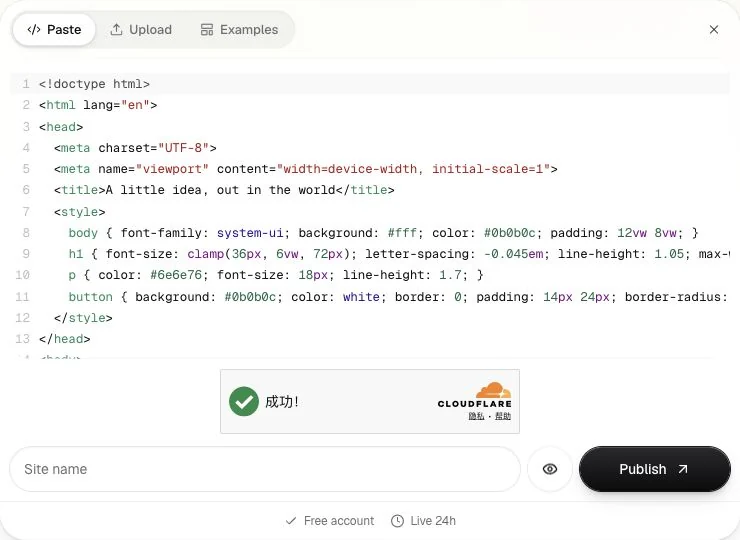
Preview, publish, and test as a visitor
Use the desktop and mobile previews to inspect the layout. Preview is isolated, with restricted network access and blocked form submission. That makes it useful for checking the page itself, but integrations need their own check after publishing.
Sign in when prompted, publish, and open the returned URL in a separate browser session. Test buttons, navigation, images, and responsive layout again. If the page estimates a total, verify an expected result and a blank or invalid input case.
Free sites remain public for 24 hours and include a badge. Choose an available paid plan for an ongoing resource. Basic updates can retain the same project address while you refine the generated page.
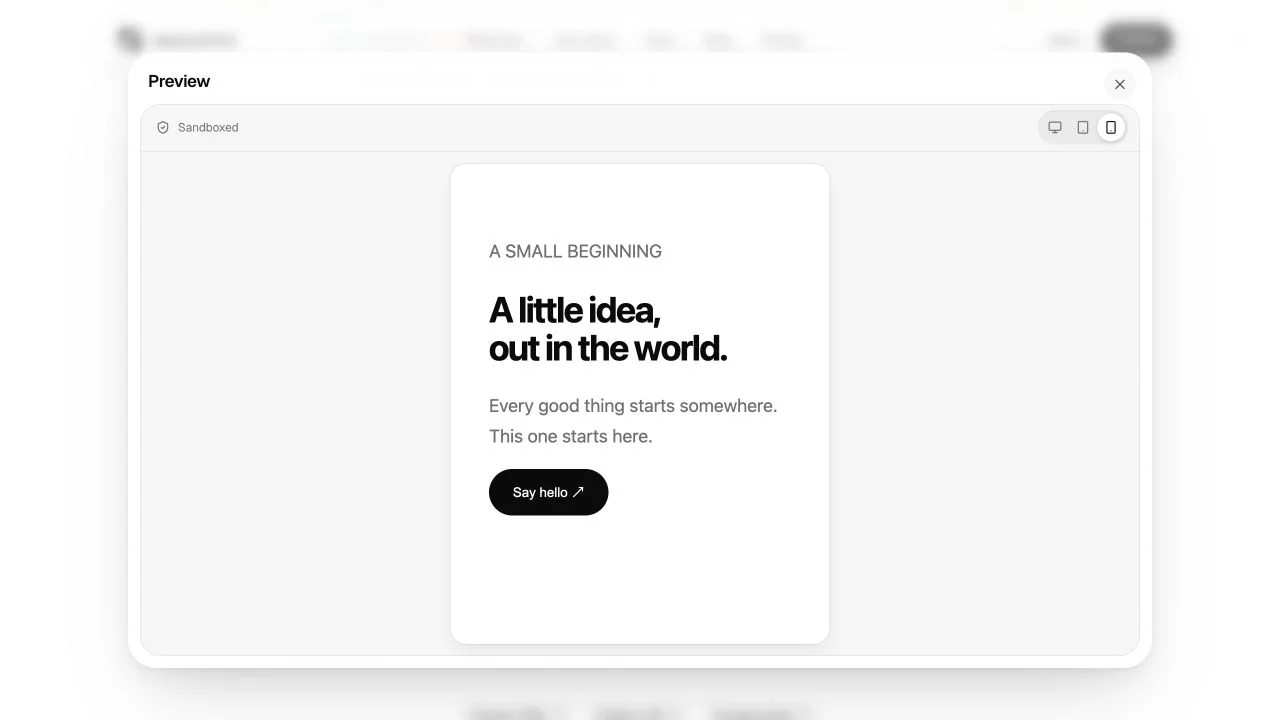
Give the recipient a clear next step
Share a link with one useful request: try the navigation, review the message, or test a particular interaction. Replace a vague “thoughts?” with a question the page can help answer.
For saved research responses, make sure a real collection service is configured and verified. The original survey and quiz examples intentionally keep answers in the browser. They are useful practice resources, and their demo behavior should stay visible.
The publishing boundary is the same when another AI tool generates your files. A standalone static page is portable; its surrounding AI environment, connectors, and private services do not automatically travel with it.
Compare the handoff with other AI tools
ChatGPT Canvas has its own sharing workflow for supported assets. Use native sharing when it fits your audience; prepare static files when you need an independent website. The same file and dependency checks apply to HTML from Claude or Gemini.
Put it into practice
Your next link starts here.
Try the original example, then publish your own static files.