
Update a live HTML website without changing its link
Use private drafts and immutable versions to make changes, publish with intention, and recover an earlier version.
DeployHTML team · 4 min ·
Keep the project, replace the published version
A project’s share URL identifies the site. A deployment identifies one immutable set of files. Publishing a new deployment changes the project’s active version while keeping its share URL.
This is useful for a client review: the client can return to the same link while you make the work more complete. Avoid making a new project for every revision unless you deliberately want separate URLs.
Save a draft before publishing
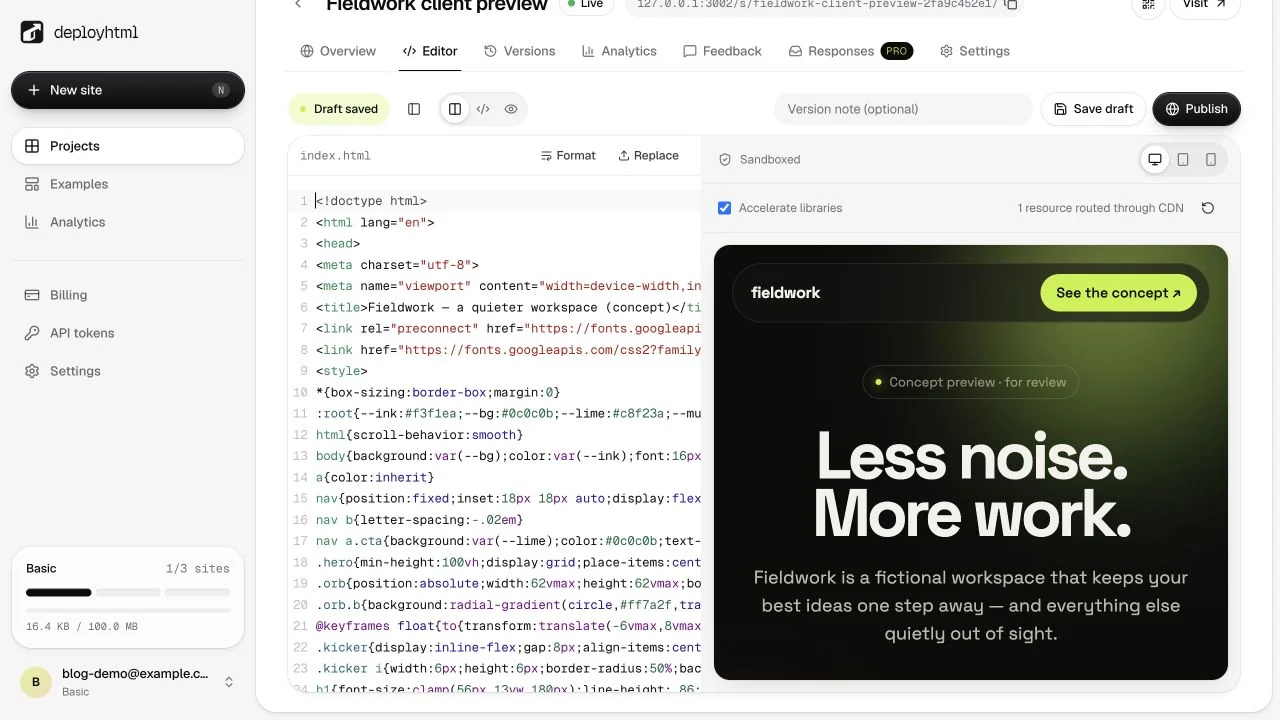
Basic and Pro provide a source editor with a file tree and isolated preview. Saving a draft stores it privately; visitors continue to see the active deployment. Refreshing the editor restores that saved draft.
Preview your changed heading, styles, and interactions. A preview restricts network access and does not have access to your account session. Test external services separately after publication.
Publish and verify the stable URL
Publish changes when you are ready. The service validates and stores the whole version before switching the active pointer. A failed upload must not leave a half-deployed site.
If another tab has published a newer version, the editor reports a conflict. Preserve your draft, compare the versions, or reload the live source before trying again.
Restore with an honest history
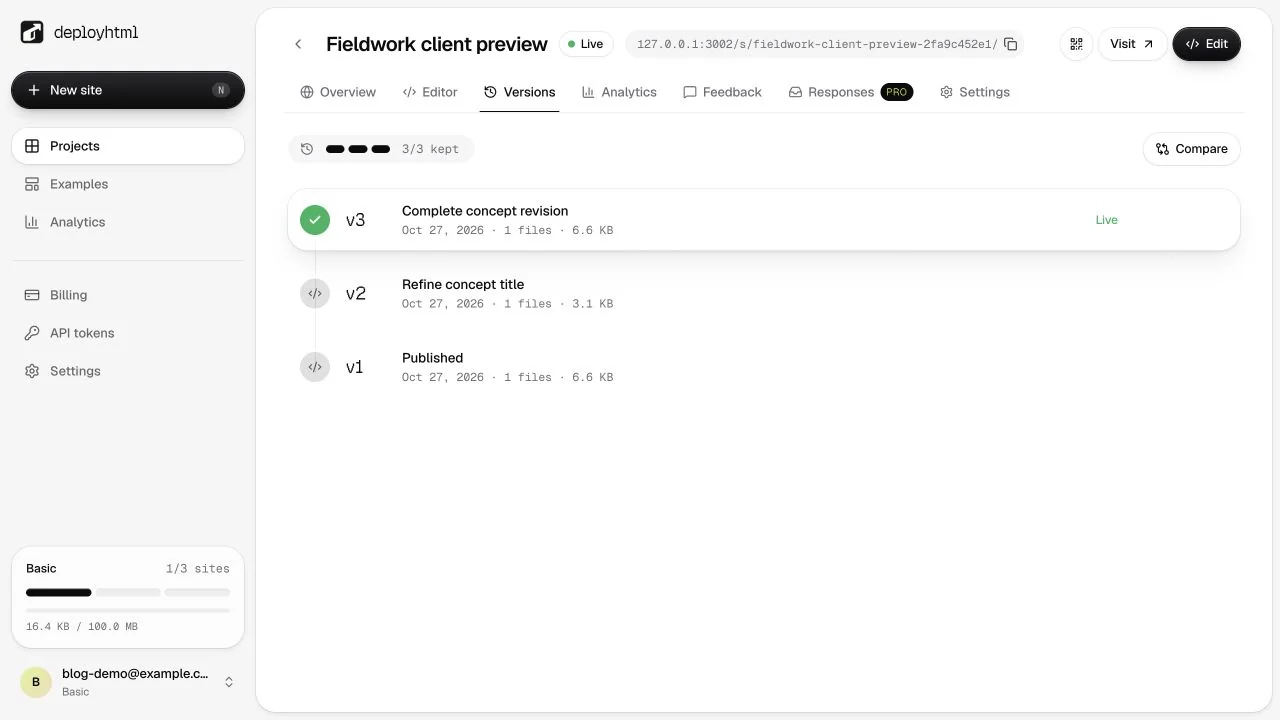
Restoring an earlier version creates a new version. It does not rewrite the old deployment. Basic retains the latest 3 versions per site; Pro retains the latest 10. Retained files count toward account storage after content-hash deduplication.
On Free, you can re-upload within the original 24-hour period. Re-uploading does not restart the expiration clock.
Put it into practice
Your next link starts here.
Try the original example, then publish your own static files.